Self-hosted PaaS
Deploy to your own servers.
Push to Git. Yawl builds, deploys and rolls back on failure. No open ports, no SSH keys.
Or self-host on Ubuntu or Debian:
curl -fsSL https://useyawl.com/install.sh | shInstall. Connect. Push.
The same on Yawl Cloud and self-hosted.
Add a server
Run one command. The agent connects out.
Connect a repository
GitHub, GitLab or Gitea.
Push
Healthy builds go live.
A failed deploy never takes traffic.
The new version starts next to the live one. Traffic moves only after its health check passes.
Health checks →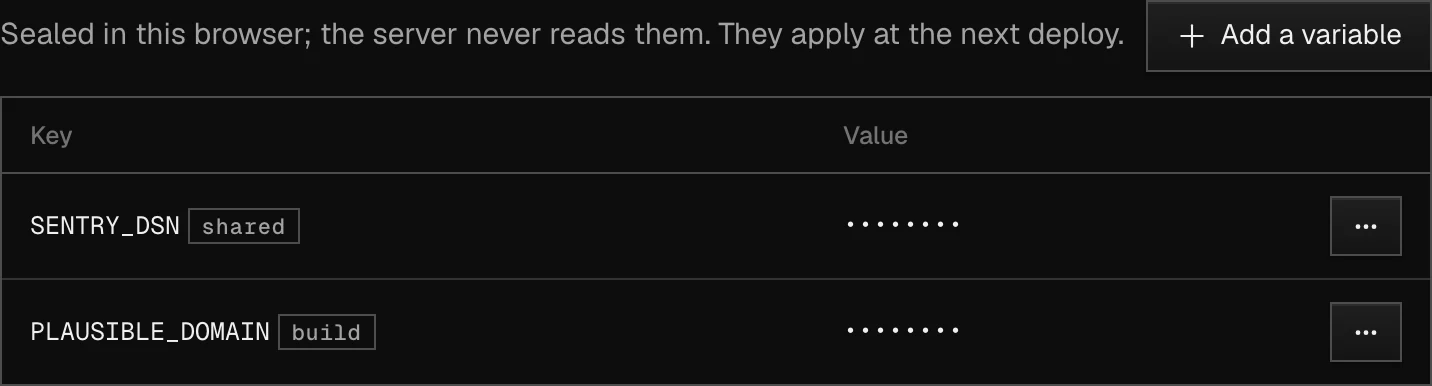
The panel can't read your secrets.
Values are encrypted in your browser. Only the agent on your server can decrypt them.
How it works →Bring what you have.
Compose files work as they are, Coolify's SERVICE_* variables included.
# your compose file
DB_PASSWORD:
  $SERVICE_PASSWORD_DB
APP_URL:
  $SERVICE_URL_APP
# in Yawl
DB_PASSWORD:
  sealed, generated
APP_URL:
  https://app.example.com
Self-host or Cloud.
Your apps always run on your servers.
the panel runs in your rack
Self-hostedFreeEvery feature. No limits.
curl -fsSL https://useyawl.com/install.sh | shwe run the panel; apps stay in your rack
Yawl Cloud$3.99/monthWe run the panel for you. 14 days free, no card to start.
Start free trialLimits3 servers, 5 members, 20 services.
At the limitNo new services. Running ones keep going.
LeavingExport to
yawl.yaml.Security, plainly.
SOC 2Not yet.
TelemetryNone.
Cloud hosting[PROVIDER], [REGION].
Report an issuesecurity@useyawl.com
FAQ
- Why pay if I bring my own servers?
- $3.99 a month pays for us running the panel. Self-hosting stays free.
- What happens after the trial?
- Add a card to keep going. Or export and self-host.
- When does the source open?
- [WHEN]. Until then, releases are signed binaries.
- What does the agent send?
- Health, metrics, logs and deploy results, to your panel only.
- Am I locked in?
- No. Your apps are Docker containers on your servers.